ControlZ app icon
ControlZ Smart Home Control

Unified Smart Home Control

Native SwiftUI app for iPhone, iPad, and Mac — Philips Hue, Conbee/deCONZ, MQTT/Zigbee2MQTT, HomeKit, Home Assistant, and HomeSeer HS4, with DoorBird, Sonos, weather, automation, Low Battery & Sensor Reports, security zones, backup, and an optional local HTTP + WebSocket API.

Release highlights

ControlZ continues to improve sensor reporting, edge-to-edge system chrome, and web-server URL display controls—while keeping startup, bridge-recovery, and Security improvements from recent releases.

How it works

Whole home to local API

Control rooms and devices on-device, then optionally expose a local hub API.

  1. Whole home

    Connect bridges and services you already run — Hue, Conbee/deCONZ, MQTT/Zigbee2MQTT, HomeKit, Home Assistant, HomeSeer HS4, DoorBird, and Sonos — in one ControlZ workspace.

  2. Groups & rooms

    Organize by room, pin a startup room or custom view, manage illumination and window-covering groups, and use All Rooms or bridge-aware dashboards on larger screens.

  3. Devices

    Control lights, blinds, switches, and sensors; run scenes and automations; monitor Low Battery and Sensor Reports; and keep security zones at a glance.

  4. Local API / hubs

    Enable the embedded HTTP + WebSocket server — typically as a Mac Catalyst hub, or on iPhone/iPad while the app is foreground — for REST control and live updates on your LAN.

Features

Powerful Features

Everything you need to control your smart home with ease

💡

Light Control

Control brightness, color temperature, and RGB colors for all your smart lights. Support for dimming, scenes, and room-wide control.

🪟

Window Covering Management

Open, close, and position your smart window coverings (blinds, shades) with precision. Control speed and direction for smooth operation.

📡

Sensor Monitoring

Monitor motion, temperature, humidity, light levels, and battery in real time. Open Sensor Report for Simple, By Type, By Sensor, and Low Battery views, with presentation-only copy/export.

🔋

Low Battery Report

When any sensor reports battery below 20%, a main-header control appears after devices load. Tap it (or use Sensor Report → Low Battery) for a clean name / room / reading list you can share.

🎬

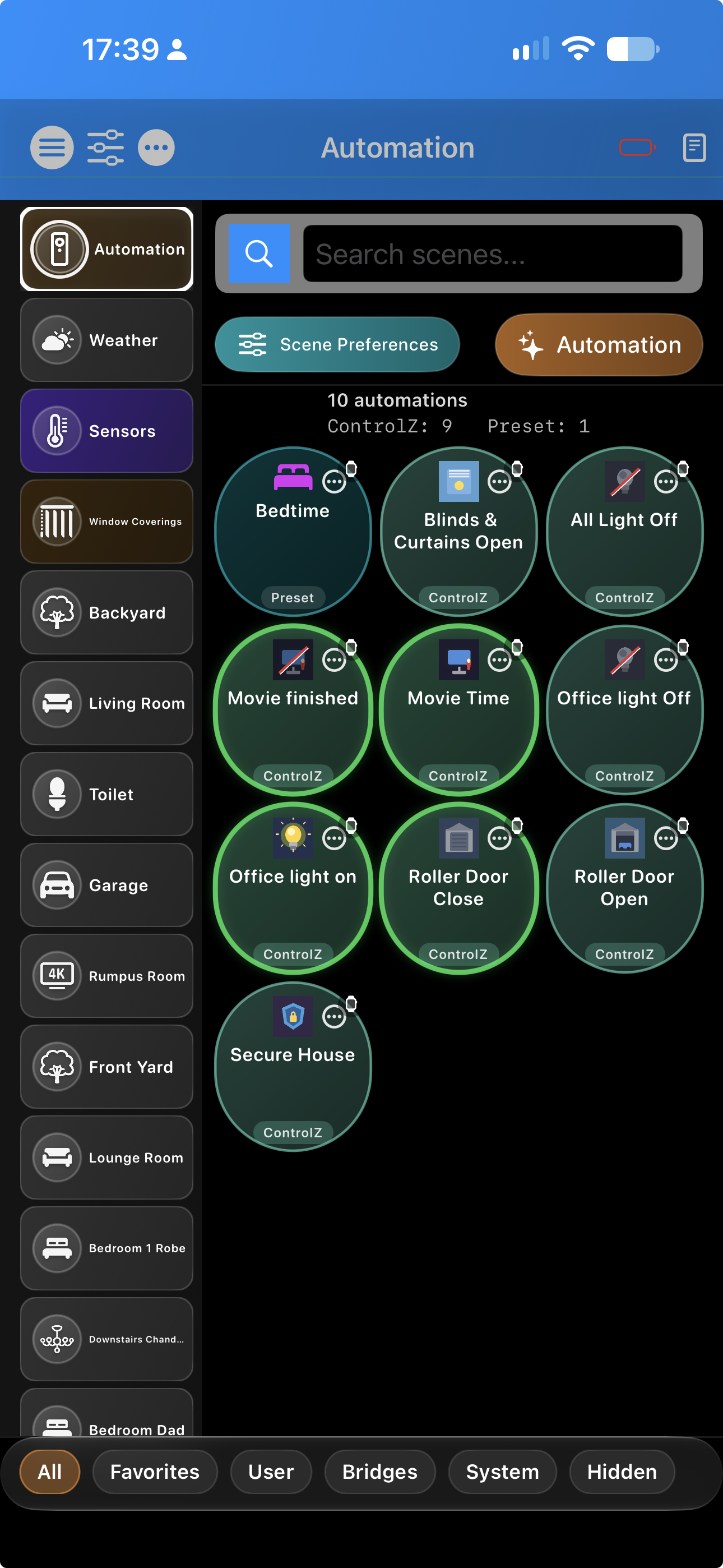
Scenes & Automation

Create ControlZ scenes, schedules, sensor and switch automations, geofence actions, and one-shot runs. Hue, HomeKit, Conbee/deCONZ, Zigbee2MQTT, and Home Assistant scene catalogs are presented together where supported.

🏠

Room Organization

Organize devices by room, import or exclude source rooms per bridge, hide empty rooms, pin a startup room or custom view, and choose vertical or horizontal room strips on larger displays.

Time Schedules

Run scenes on days and times, at solar events, or once at an absolute time or relative offset. A selected Mac or iPad can act as the automation authority to prevent duplicate runs across devices.

🎛️

Switch Control

Configure supported Zigbee/MQTT and HomeKit buttons and remotes to trigger scenes and actions, including presses, double-taps, and long-press mappings where the device exposes them.

🎨

User Custom Views

Create custom grid layouts mixing lights, window coverings, sensors, and rooms. Lock for read-only mode or unlock to edit, reorder, and assign devices. Set as startup view for instant access.

⚙️

User Preferences

Customize device settings including default brightness, favorites, hidden devices, and room assignments. Configure window covering speed, direction, and delays for personalized control.

🌐

Local HTTP API & WebSocket

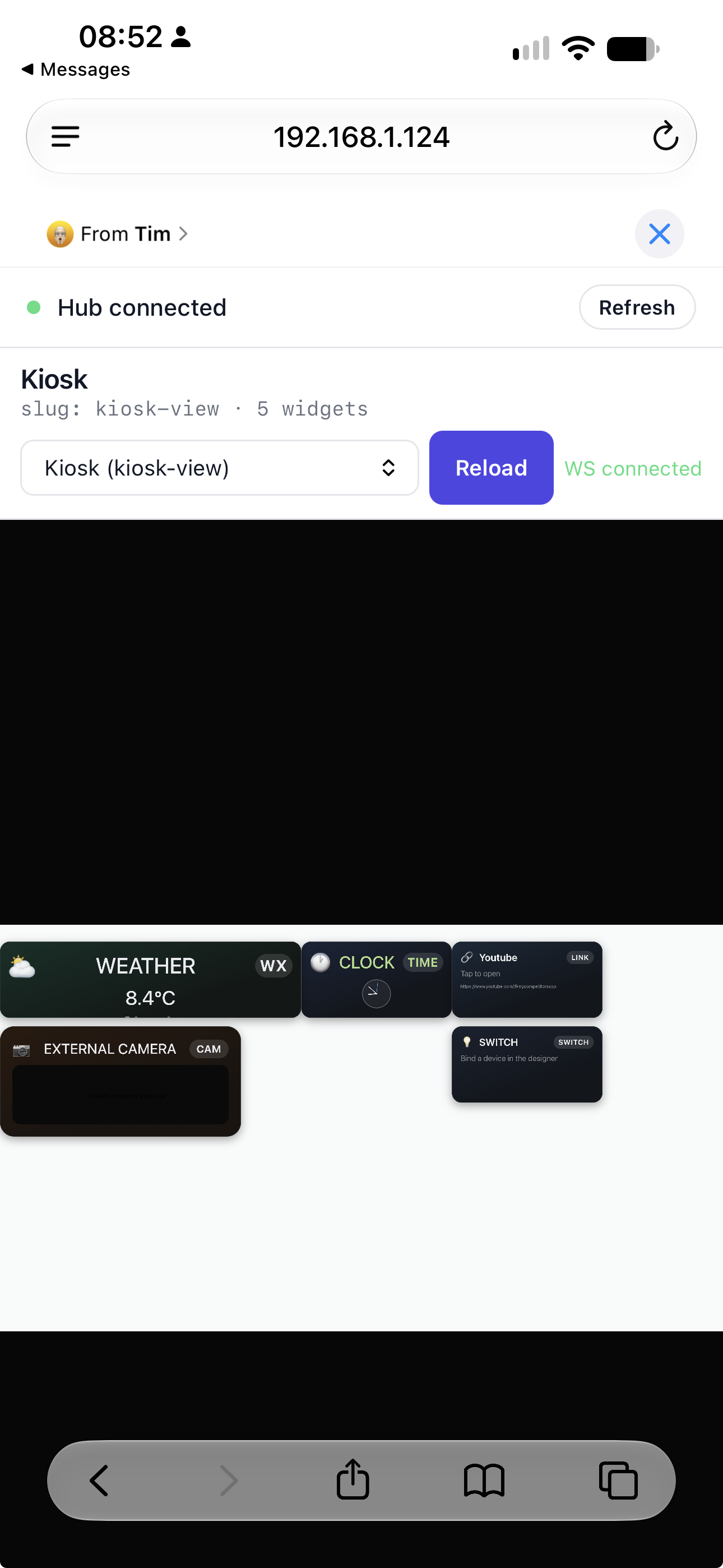
When the embedded server is enabled, expose REST endpoints for bridges, rooms, scenes, devices, automation, security, weather, and more. Subscribe to WS /ws for live device and log updates (JSON or MessagePack). Authenticate with X-API-Key or query parameters; localhost can bypass keys per server settings. Display URL links (Localhost / Network IP / Both) control which address(es) appear in settings and the green banner.

🔒

Security & zones

Organize locks, doors, motion, presence, smoke, and mixed-device zones; reorder tiles or drag devices across zones; choose which devices affect summaries; and use full-window header/footer status strips (edge-to-edge under the room sidebar on iPad/Mac) plus /api/security/* reports. ControlZ provides limited status reporting only—it is not a certified alarm system.

🛰️

Integrations

Home Assistant OAuth or long-lived tokens, HomeKit discovery, WeatherKit current/hourly/forecast data, DoorBird stations, HS4 webhooks, multi-device client sync, and bridge-specific scene and automation catalogs.

🎙️

Apple Shortcuts & Siri

App Intents and Siri phrases for scenes and device control from Shortcuts. Setup, built-in phrase templates, and limits are available in the in-app documentation when you use ControlZ from the App Store or TestFlight build.

Apple Watch

Optional watchOS companion: scenes and controls chosen on iPhone sync to Apple Watch when the phone app is available. Pair Watch with daily use on iPhone for wrist-level triggers.

🔊

Sonos LAN & Cloud

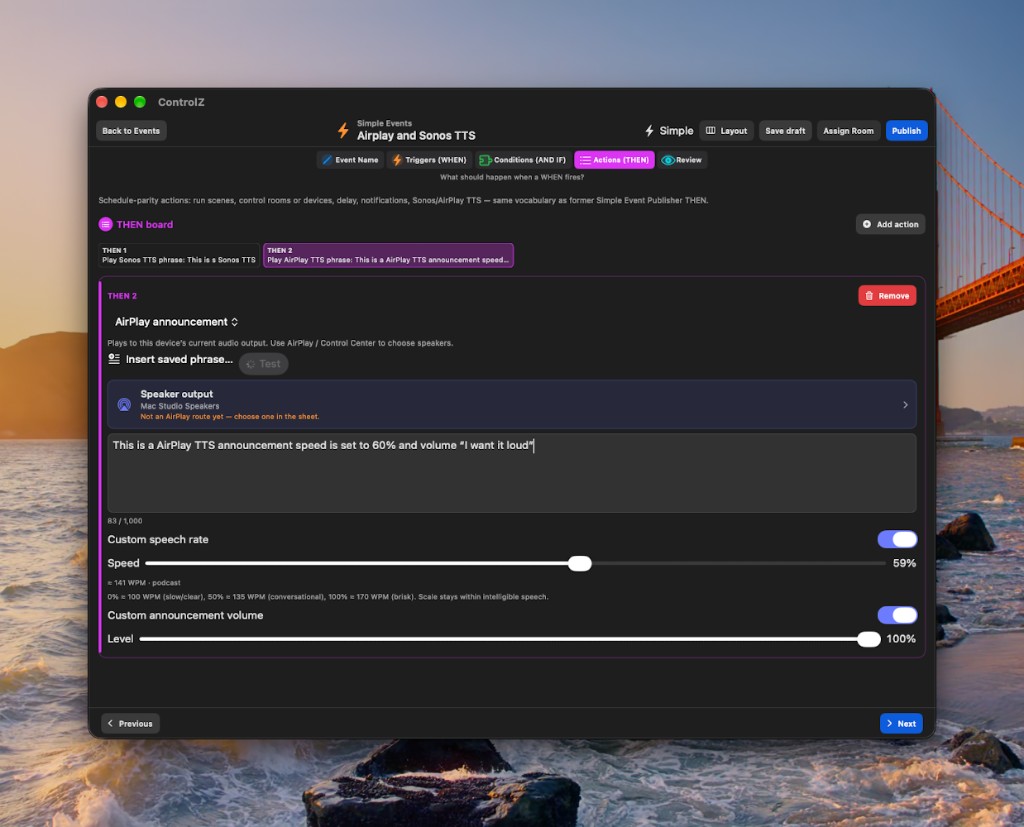
Discover and register players, browse content, manage playback and groups, save playlists, inspect the coordinator queue, and deliver text-to-speech announcements. Optional Sonos Cloud OAuth adds Control API playback and grouping.

💾

Backup, Restore & iCloud

Create and share .controlzbackup files, restore configuration, schedule local-folder or iCloud snapshots, set count/age retention, and optionally password-protect local backup files.

📈

Performance Advisor

Startup Health, per-bridge load profiles, suggested bridge order, P50 history, warm-return tracking, and regression flags help tune large installations. Bridge load tiers avoid full inventory work when a state refresh is enough.

🧰

Diagnostics & Recovery

Bridge Console connection tools, state refresh, device reload, Local Network guidance, HomeKit identity repair and Home Cleanup, Security orphan repair, and data-health reports provide recovery without rebuilding the whole setup.

👥

User Access Control

Optional native-app and web/API sign-in, role-based permissions, API keys, bootstrap recovery using device authentication, and separate policy controls for local users and integrations.

🧩

Groups & Dashboards

Manage illumination/outlet groups, window-covering groups and libraries, cross-bridge Window Coverings dashboards, custom grids, All Rooms views, and bridge-aware device type mapping.

Platforms

Three platforms, one app

ControlZ is built for iPhone, iPad, and Mac (Mac Catalyst, with native macOS where applicable). Core bridges and rooms work everywhere; automation depth, layout, and background behavior follow each form factor.

iPhone Pocket

  • Everyday control — rooms, lights, blinds, sensors, scenes, switches, and security views tuned for a single-column, thumb-friendly layout.
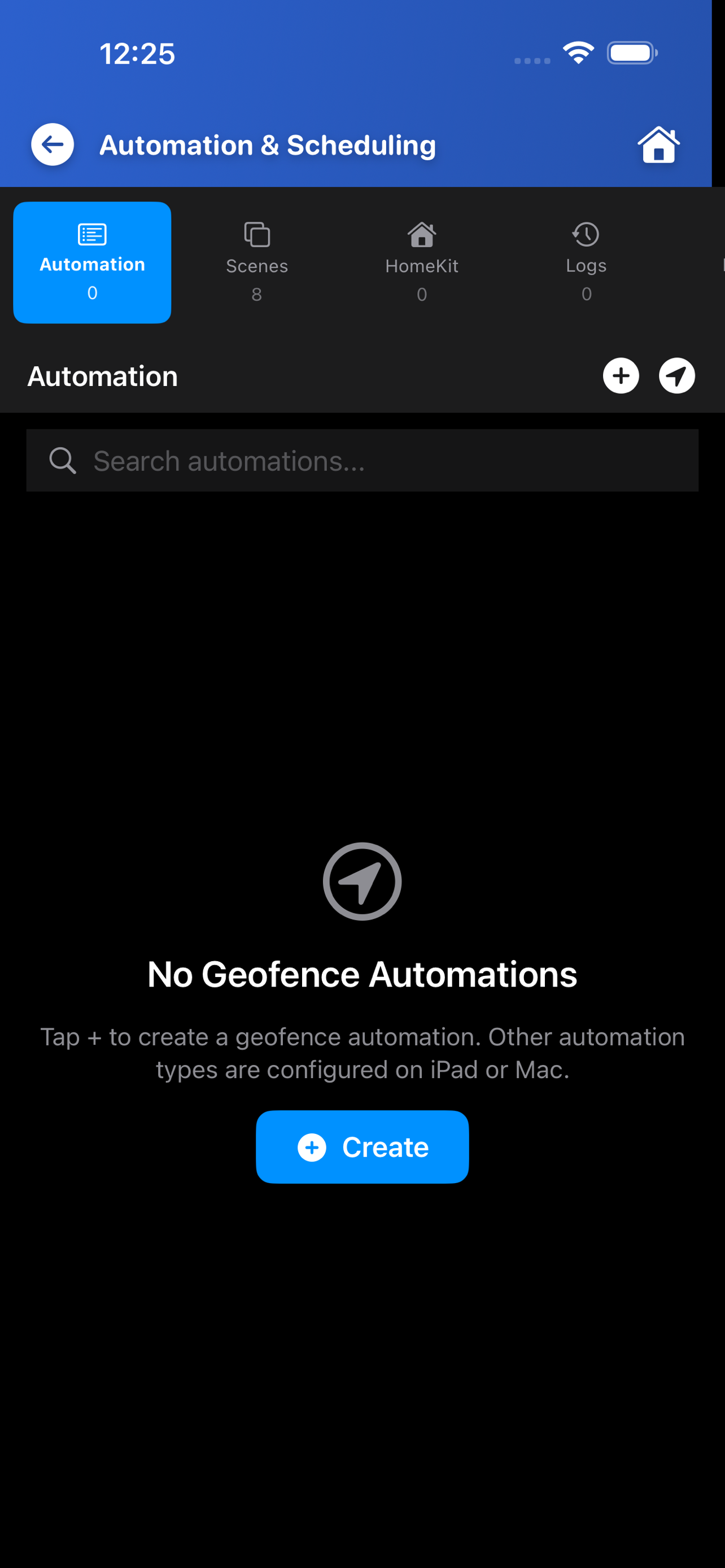
  • AutomationConfiguration → Automation on iPhone is a scaled-down surface: geofence automations, Scenes, HomeKit, Logs, and Report. Full time, sensor, switch, and weather builders stay on iPad and Mac; iPhone does not run those full automation runners.
  • Geofence monitoring — Core Location geofence enter/exit/dwell monitoring runs on iPhone only and needs Always location access. You can edit geofence automations elsewhere; they execute when an enabled iPhone monitors the regions.
  • Lifecycle — iOS may pause bridge streams in the background, but ControlZ protects the deferred SwiftData flush so suspension cannot occur while the local store is locked. Bring ControlZ to the foreground for live updates; the embedded API can also run while the app is open.

iPad Canvas

  • Room to breathe — wider grids, more tiles per row, full-window Security/status footer chrome under the room sidebar, and vertical or horizontal room-strip layouts for wall-mount or table use.
  • Automation — when AutomationV2 is enabled in settings, the full automation runtime runs on iPad (same class of capability as Mac, unlike iPhone).
  • Geofence — create/edit geofence automations here, but region monitoring remains an iPhone responsibility.
  • Same bridges — Hue, Conbee, MQTT/Z2M, HomeKit, Home Assistant, and HS4 behave the same as on iPhone where enabled; you get more screen for security zones, custom views, and multi-room overview.

Mac Catalyst · Hub

  • Desktop + pointer — windows, menus, and precision control on Mac Catalyst (and native macOS where applicable); ideal for long sessions, bulk setup, and troubleshooting.
  • Always-on bridges — on Mac Catalyst, bridge streams (Hue SSE, Conbee WebSocket, MQTT, client sync) are kept alive in the background so the app stays current and the embedded web server remains useful as a local API endpoint when you run server mode.
  • Close window, keep serving — on Mac Catalyst, the red close button can hide the window while bridges, automations, and the local web server continue; click the Dock icon to reopen or use ⌘Q to quit fully.
  • AutomationV2 — full automation runtime when enabled, matching iPad. Designate one Mac or iPad as the automation authority to avoid duplicate runs.

Summary: Use iPhone for quick control, scenes, and geofence monitoring; iPad for rich dashboards and full automation; Mac Catalyst when you want a small home hub (background streams + local HTTP/WebSocket). iPhone and iPad can also host the API while ControlZ remains in the foreground—check in-app settings for server mode and API keys.

Screenshots

See It In Action

Beautiful, intuitive interface designed for ease of use

ControlZ runs on iPhone, iPad, and Mac. Portrait strips use device-framed captures; landscape tiles use CSS tablet frames. Priority slots below wait for PNGs in assets/screenshots/controlz/. See Platforms for Automation V2, the embedded server, and Client Sync.

ControlZ Downstairs Chandeliers: sidebar, BRIDGES, Running status, gradient group card with slider and colors, per-bulb rows off, bottom filters ControlZ Lounge Chandelier color candle 3 detail sheet: ON, color presets, color temperature and brightness at fifty percent over the chandelier group behind ControlZ display style menu: Use System through Simple with Compact checked, Save Changes and Cancel over Downstairs Chandeliers

Main Dashboard

Left to right: the Downstairs Chandeliers group screen, the Lounge Chandelier color candle 3 detail sheet, and the display style picker with Compact selected.

iPhone · device-framed capture
ControlZ Window Coverings: master Open, Stop, Close and per-device blinds and curtains ControlZ Window Coverings: scrollable list with Open, Stop, Close on each row and status Closed or Open ControlZ All Rooms: BRIDGES list with room rows, OFF toggles, and System filter selected

Device Control

Window coverings with group and per-device Open / Stop / Close, plus All Rooms for quick room-wide toggles — lights, blinds, sensors, and filters share the same interaction patterns.

iPhone · device-framed capture
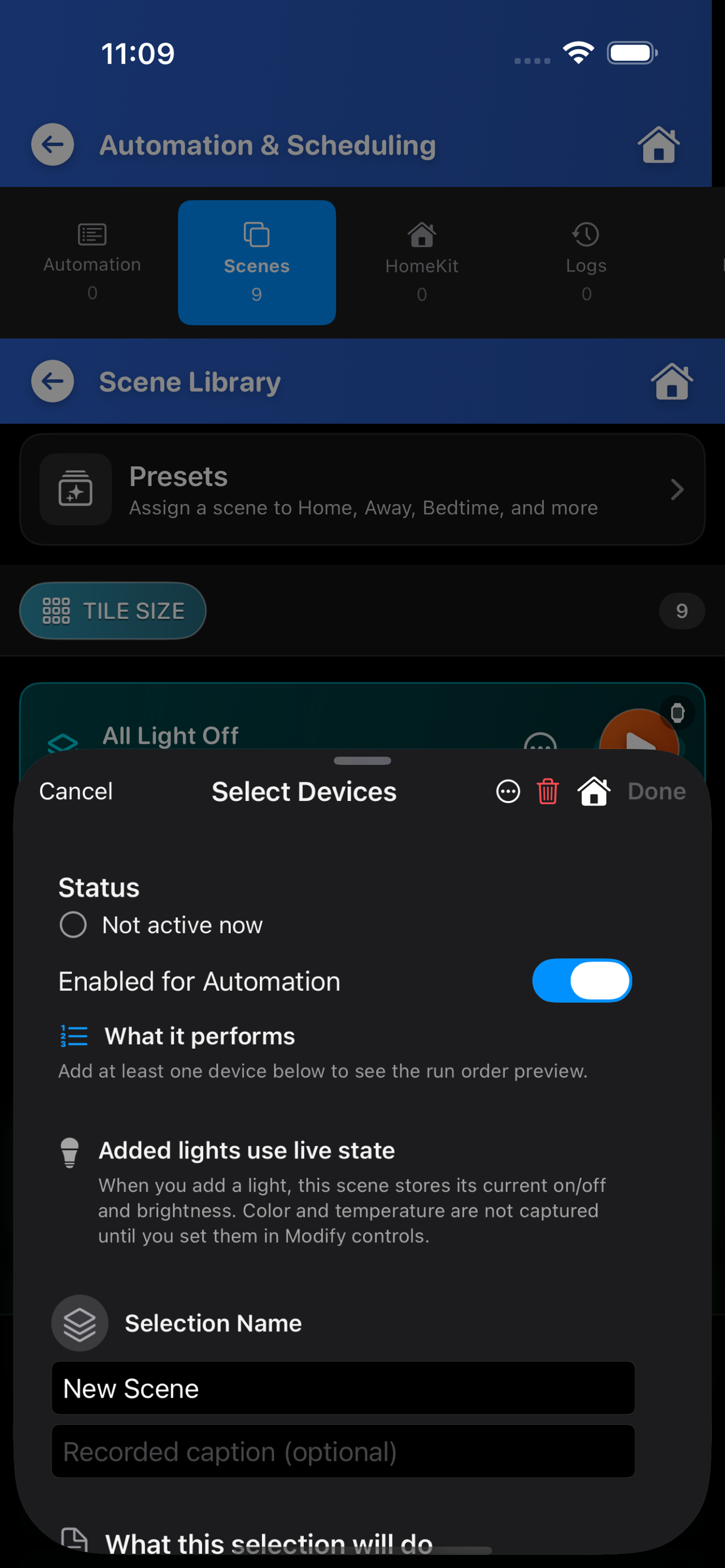
ControlZ scenes list including Movie night, Good morning, and Away with Run actions

Scene Management

Create and manage ControlZ Scenes to control multiple devices simultaneously

iPad or Mac · CSS tablet frame
ControlZ automation view with time schedules sidebar and evening dim rules

Automation Setup

Time schedules, sensor scenes, sensor groups, and switch automations — also available via /api/automation/*

iPad or Mac · CSS tablet frame
Browser window showing ControlZ local server URL and API endpoints table

Web console & Security

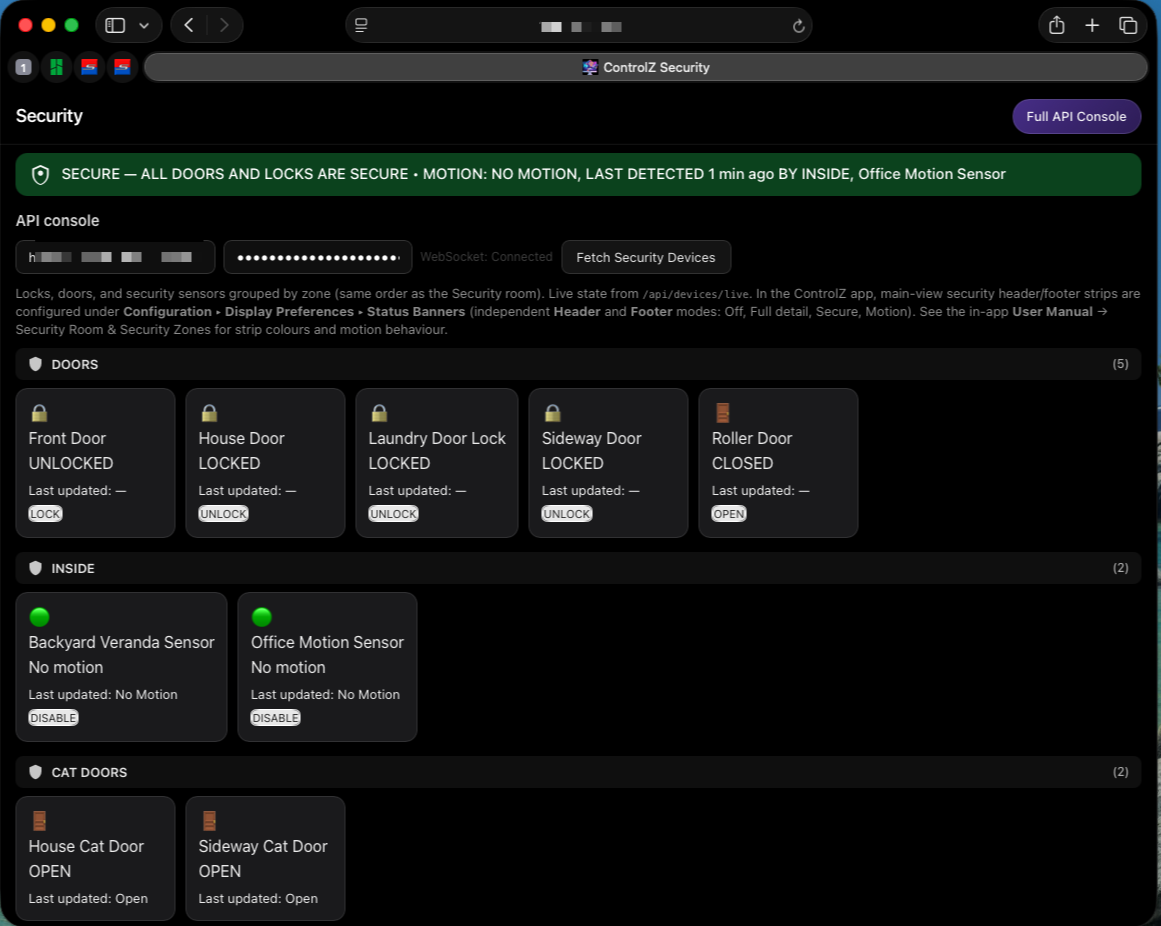
Browser UI at controlz.html and security.html on the same host as the API. ControlZ adds Display URL links (Localhost / Network IP / Both) for the green banner and settings list.

Mac (Safari) · CSS tablet frame

Low Battery & Sensor Report

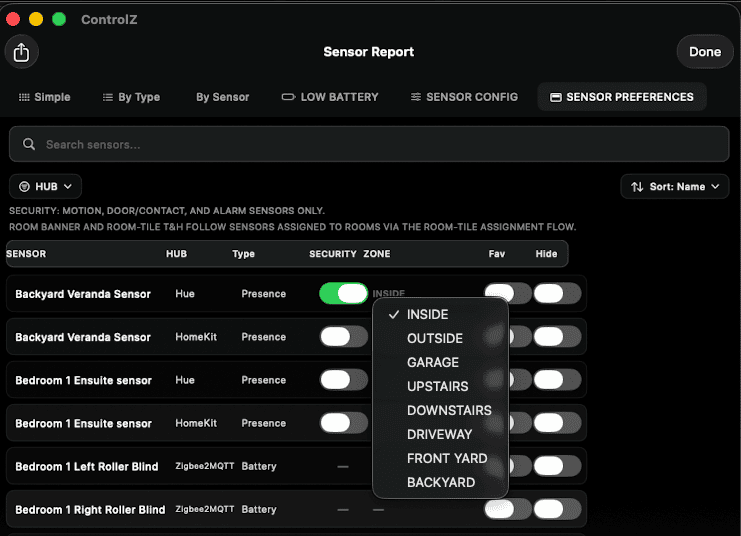
Header Low Battery control and Sensor Report (Simple / By Type / By Sensor / Low Battery) with name, room, and reading only — no bridge IDs in shared text.

Capture: iPhone portrait · file low-battery-report.png · CSS phone frame

Security zones

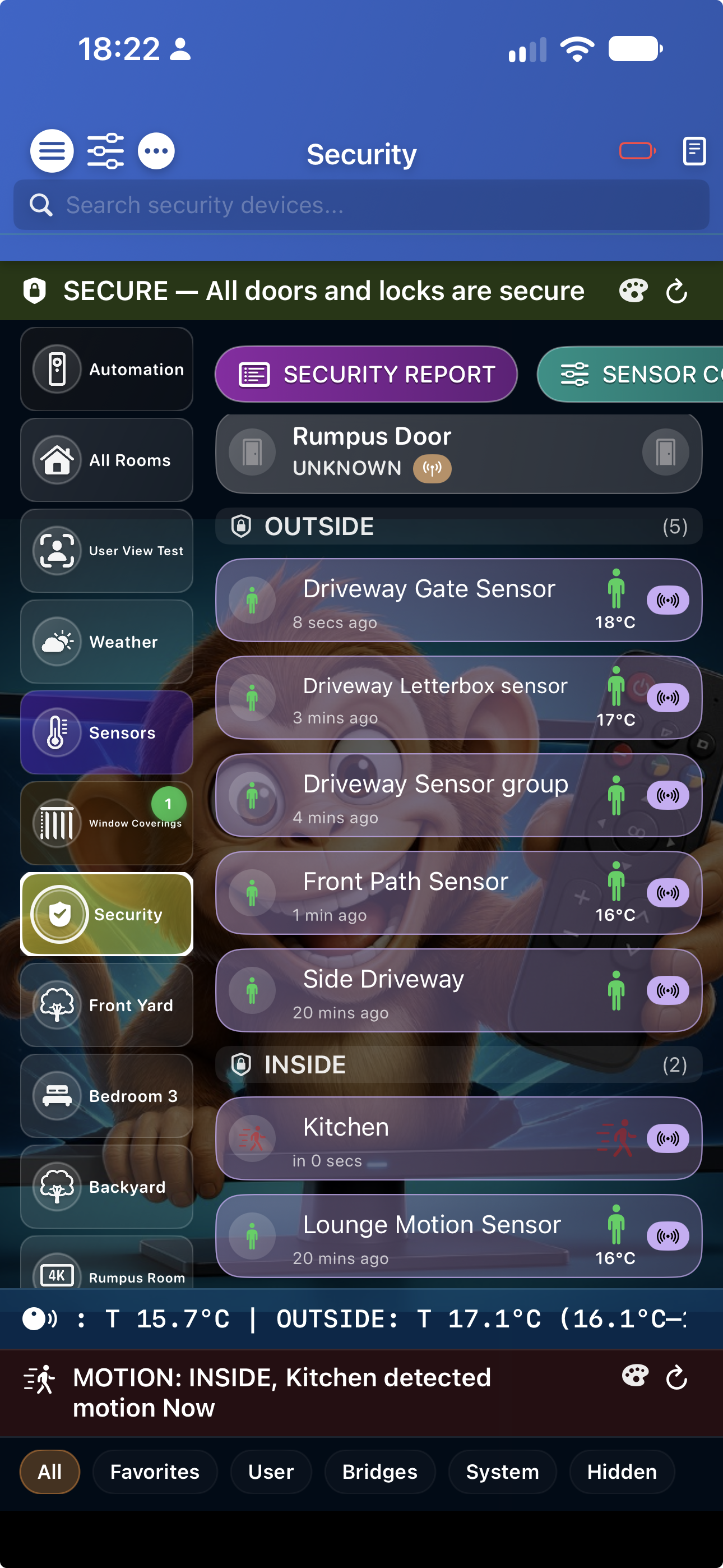
Native security overview: doors, locks, motion, and zone status at a glance — the in-app companion to the web Security console.

Capture: iPhone portrait · file security-zones.png · CSS phone frame

iPad whole home

Room sidebar with edge-to-edge footer chrome — rooms, sensors, and security strips spanning under the sidebar on iPad and Mac Catalyst.

Capture: iPad landscape · file ipad-whole-home.png · CSS tablet frame

Bridges & integrations

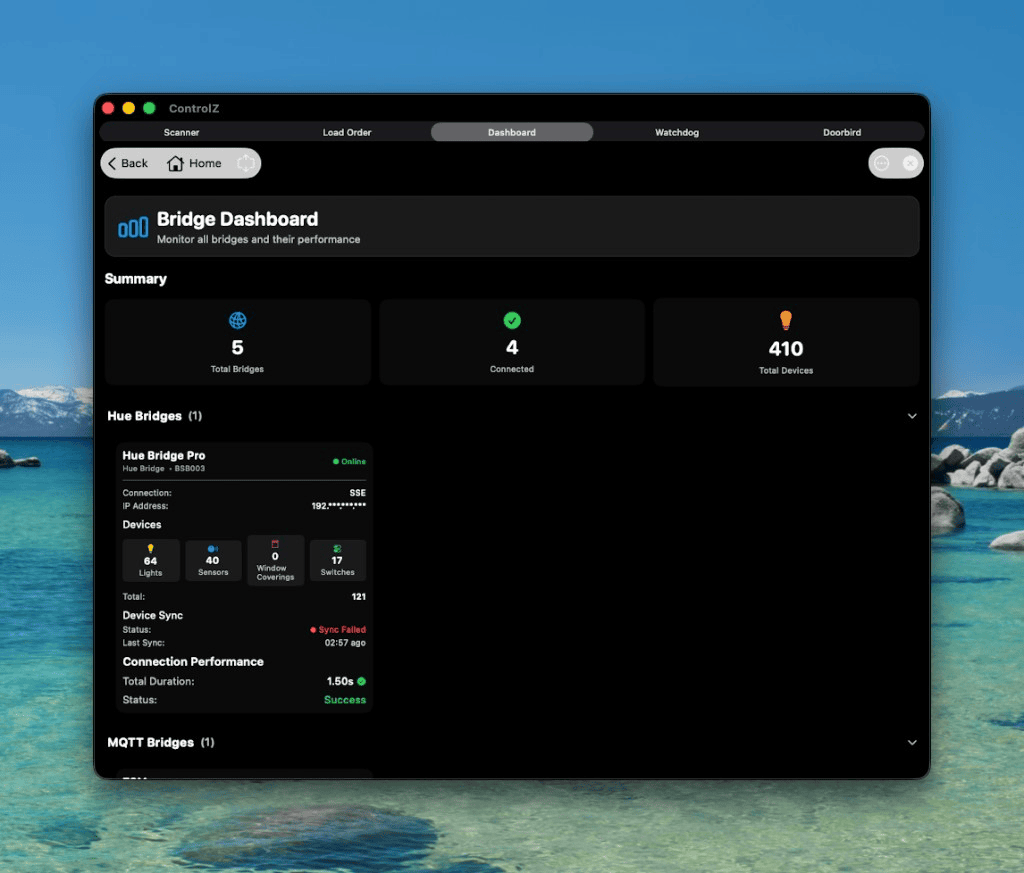
Connected Hue, Conbee/deCONZ, MQTT/Zigbee2MQTT, HomeKit, Home Assistant, HomeSeer HS4, DoorBird, and Sonos in one workspace.

Capture: iPhone portrait · file bridges-overview.png · CSS phone frame

Bridges

Supported Bridges

Works with the most popular smart home bridges

Philips Hue

Full support for Hue v2 API with color control, scenes, and room management

Conbee / deCONZ

Compatible with Conbee and deCONZ bridges for Zigbee device control

MQTT / Zigbee2MQTT

MQTT (including WebSocket transport) with real-time device updates

HomeKit

HomeKit accessories and scenes; web panel at homekit.html plus GET /api/homekit/*

HomeSeer HS4

HomeSeer HS4 JSON API and ControlZ Export plugin path; device sync and POST /api/hs4/webhook for automation hooks. Download ControlZ Export for HS4.

Home Assistant

OAuth or long-lived-token sign-in, devices and source rooms, plus scenes, scripts, and automations exposed in ControlZ management and automation views

DoorBird & Sonos

DoorBird door-station integration and Sonos LAN/cloud playback, grouping, browse, playlists, queue, diagnostics, and announcements

Local API

Local API highlights

When the embedded web server runs in ControlZ—typically as a Mac Catalyst hub, and also on iPhone/iPad while the app remains in the foreground—REST under /api/* and WS /ws share the same host and port as the built-in browser UI.

Core reads

GET /api/health, /api/config, /api/logs, /api/bridges, /api/bridges/queues, /api/rooms, /api/scenes, /api/devices, /api/devices/live (supports incremental ?since=), /api/switches

Control & scenes

PUT|POST /api/devices/{id}/state, PUT|POST /api/bridges/{id}/state, PUT|POST /api/rooms/{id}/state, POST /api/scenes/{id}/execute, POST /api/scenes (push scenes)

Automation & sync

GET /api/automation/time-schedules, sensor-scenes, sensor-groups, switches; POST …/{uuid}/execute for schedules and sensor scenes; GET /api/sync/* and POST /api/sync/broadcast

Keys & realtime

POST /api/keys, GET /api/keys, GET /api/keys/me, PUT|DELETE /api/keys/{id}; WS /ws (use apiKey query when the browser cannot send headers)

HomeSeer HS4

ControlZ Export for HomeSeer HS4

Install this plugin on your HS4 box, then enable Use ControlZ Export plugin in ControlZ. Configure device overrides, room conversion, and export categories in HS4 under Plugins → ControlZ Export.

Latest: 1.2.10.2. Extract into your HomeSeer program folder, rename updater_override.json.sampleupdater_override.json, then Plugins → Add → install ControlZ Export → Enable under Manage. Delete updater_override.json and the versioned plugin zip after install. Stable URL: https://brien.com.au/apps/ControlZExport_install_kit.zip

Previous versions / Rollback

Each package is a full install kit for that version (plugin zip + matching override sample + README). Use these to roll back or pin a known-good build.

Ready to Get Started?

Download ControlZ and take control of your smart home today. For support and feedback, use the shared contact page.