Live radar and map
Polar radar or Apple Maps around your station, with range rings in kilometres or miles. Strikes fade with age; storm cells are tracked with intensity and trend.

Lightning Monitor shows every strike from your Boltek LD-350 or LD-250 lightning detector as it happens, on a radar display or Apple Maps, with storm tracking, close-strike alerts and the same live view on every device.
Version 1.0.0 · TestFlight beta · macOS 15, iOS 18 and iPadOS 18 or later
How it works
Your Mac is the station; iPhones, iPads and other Macs follow it live.
Connect an LD-350 over USB or an LD-250 through a USB-serial adapter. An LD-350 is picked up automatically.
Use the detector's GPS, the Mac's location or typed coordinates, so strikes land in the right place on the map.
Strikes appear on the radar or Apple Maps as they happen, grouped into storm cells with intensity and trend.
Share the detector with your other devices, and send strikes to your website, Home Assistant, Cumulus MX and more.
Capabilities
One native app for Mac, iPhone and iPad.
Polar radar or Apple Maps around your station, with range rings in kilometres or miles. Strikes fade with age; storm cells are tracked with intensity and trend.
Cloud-to-ground and intracloud strikes with polarity, classified from the detector's raw waveforms, plus nearest strike, strike rate and a one-hour activity chart.
Notifications when strikes come within your chosen distance, a 30-minute all-clear countdown, and spoken announcements of close strikes, storms and detector alarms.
Status, squelch, GPS and the latest waveform in a scope-style chart. Change the detector's settings, and run a dedicated Mac unattended from the menu bar.
Strikes, waveforms and one-minute summaries in a local database, a daily CSV file, and a strike table with filters, export and an inspector for every strike.
Share the detector on your network with a token. Publish to your own website, MQTT with Home Assistant discovery, FTP, Cumulus MX, webhooks and a local HTTP API.
Receives Ecowitt WH57 lightning sensor uploads and shows their distance as a ring around the station.
No account and no Lightning Monitor servers. Strikes and settings stay on your devices, and data goes only to destinations you set up.
Screenshots
Live radar, map, strike table and detector view.
Lightning Monitor runs on Mac, iPhone and iPad. Landscape Mac captures use CSS tablet frames.
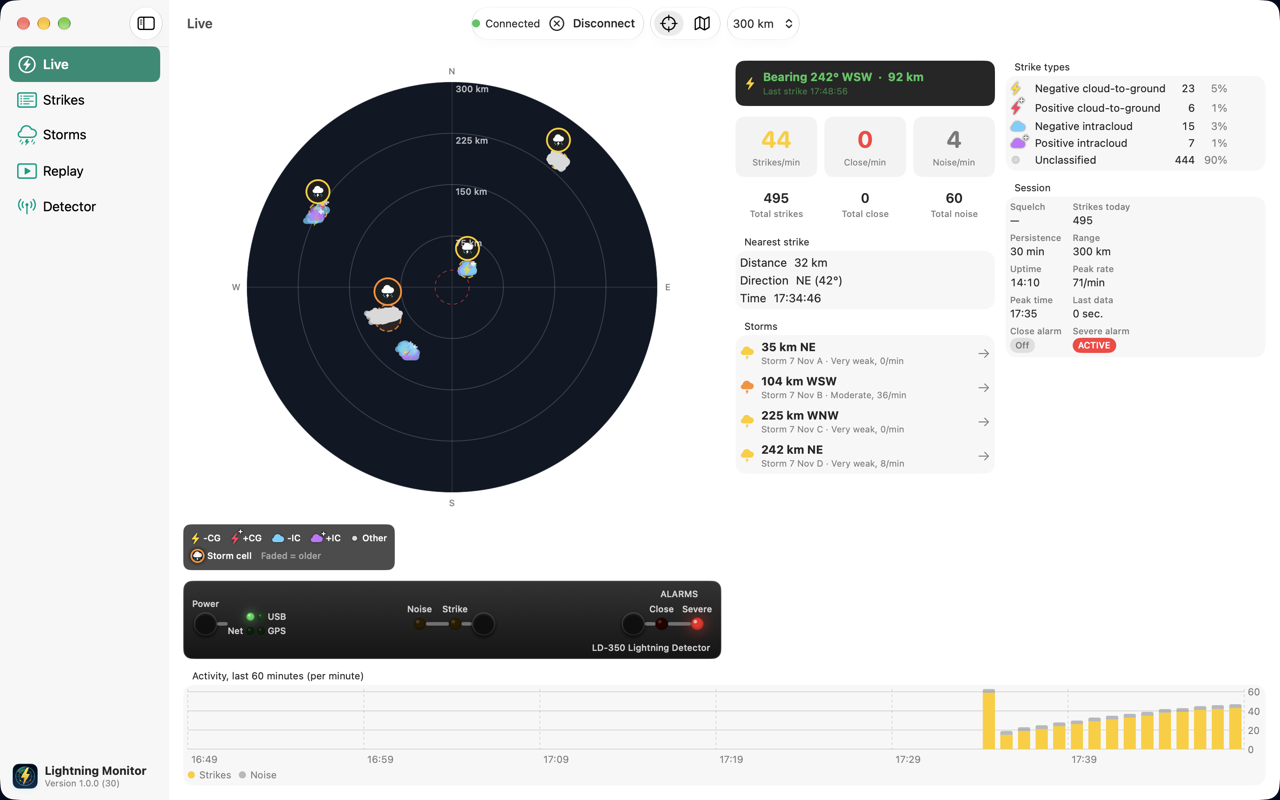
Strikes and storm cells around the station, with the latest strike, rates, storms and a one-hour activity chart.
Mac · CSS tablet frame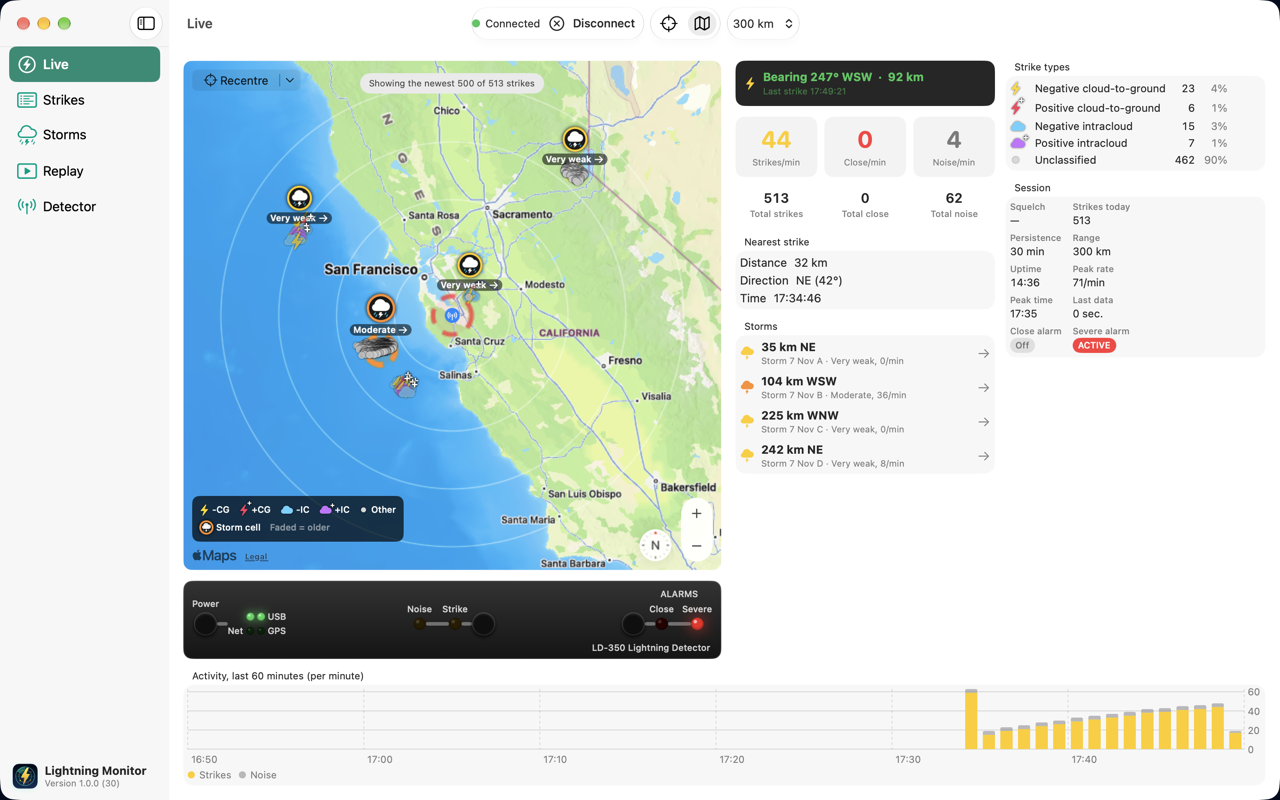
The same view on Apple Maps, with range rings and each storm's strength and direction of travel.
Mac · CSS tablet frame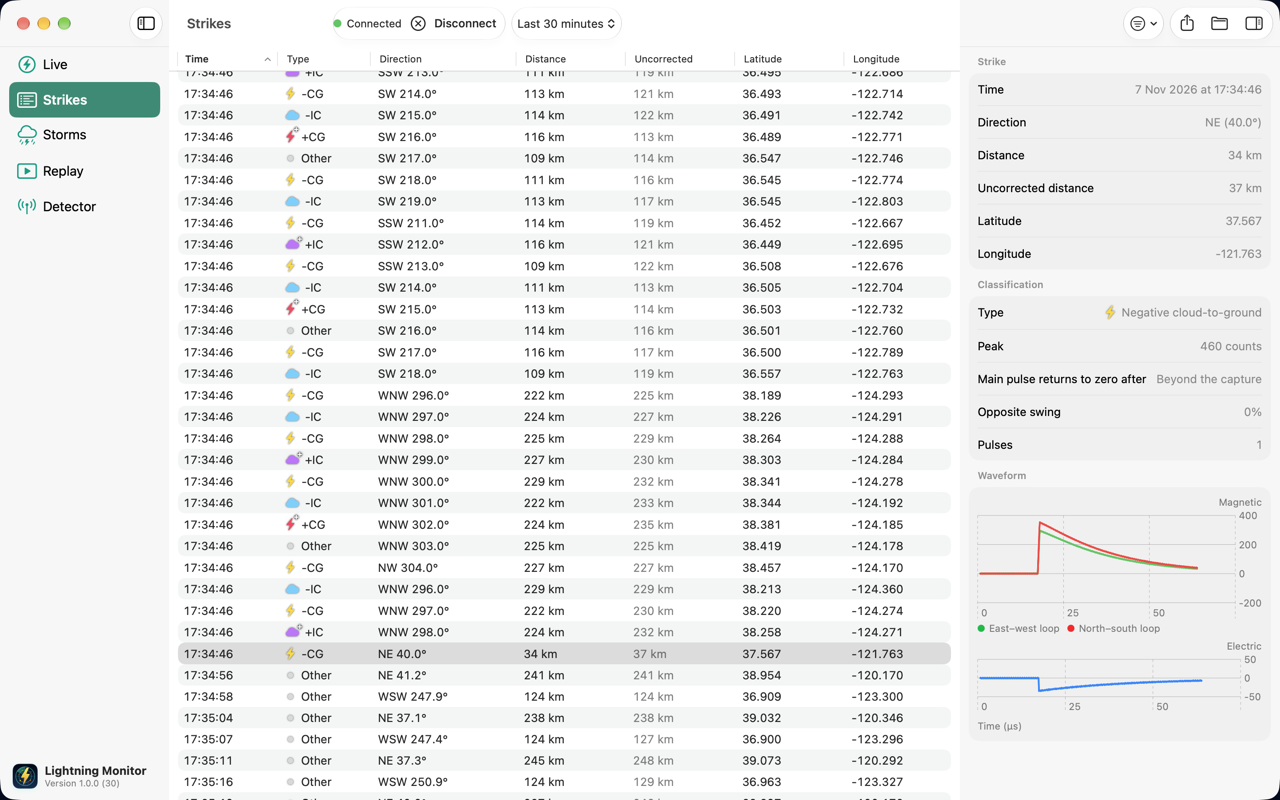
Every strike in a sortable table, with its type, distance, position and waveform in the inspector.
Mac · CSS tablet frame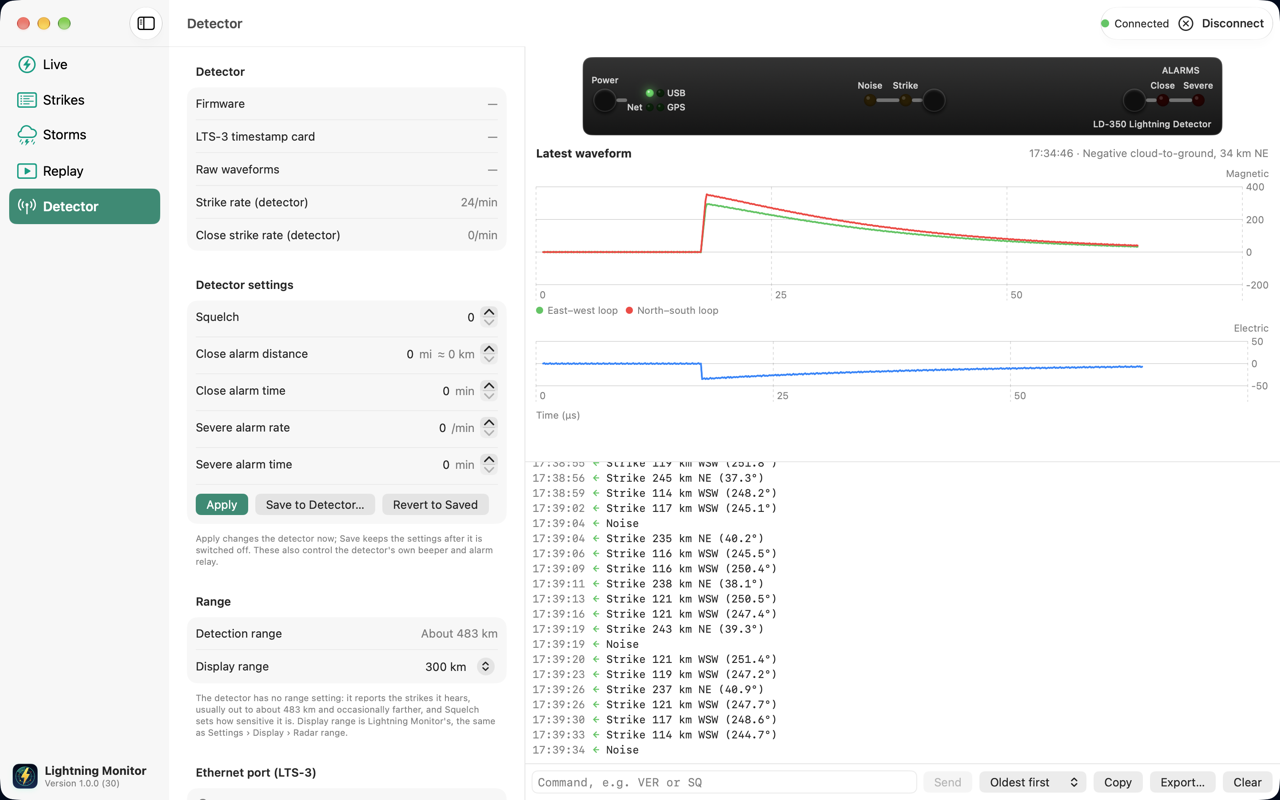
Detector status and settings, the latest raw waveform, and a live log of what the detector reports.
Mac · CSS tablet frameFree companions
Optional free tools for other computers, NexStorm and your website.
Shares a detector plugged into a Windows PC, Linux computer or Raspberry Pi with Lightning Monitor on your Mac, iPhone and iPad. Download the bridge.
Lets NexStorm on a Windows PC read the detector your Mac shares, at the same time as Lightning Monitor. Get the connector.
A ready-made live lightning page for your own website, fed by the app. See ours running.
Requirements
Lightning Monitor is an independent app for Boltek detector owners.
An LD-350 on USB for the full feature set, or an LD-250 on a USB-serial adapter (no strike types). The optional LTS-3 card adds GPS time.
A Mac on macOS 15 or later connected to the detector, or a detector shared on your network by another Mac or Lightning Monitor Bridge.
iOS or iPadOS 18 or later. They follow a detector shared on the same network and can't connect to a detector directly.
Quit NexStorm, StormVue or other detector software first, or use the NexStorm Connector so NexStorm reads through Lightning Monitor.
Use the shared contact workflow and choose Lightning Monitor in App Selection — including if you'd like to join the TestFlight beta.
Boltek, LD-350 and LD-250 are trademarks of their owner; Lightning Monitor is an independent app.